Kumu Connect
Kumu Connect helps teachers plan computer science lessons in ʻŌlelo Hawaiʻi or English. Co-designed with Native Hawaiian educators, the tool lets a kumu choose a learning goal, review cultural references, and revise the lesson for their students.
Ulu Lāhui Foundation and Ka Moamoa Lab bring together educators, language specialists, designers, and researchers to build Kumu Connect.
How kumu plan a lesson
-
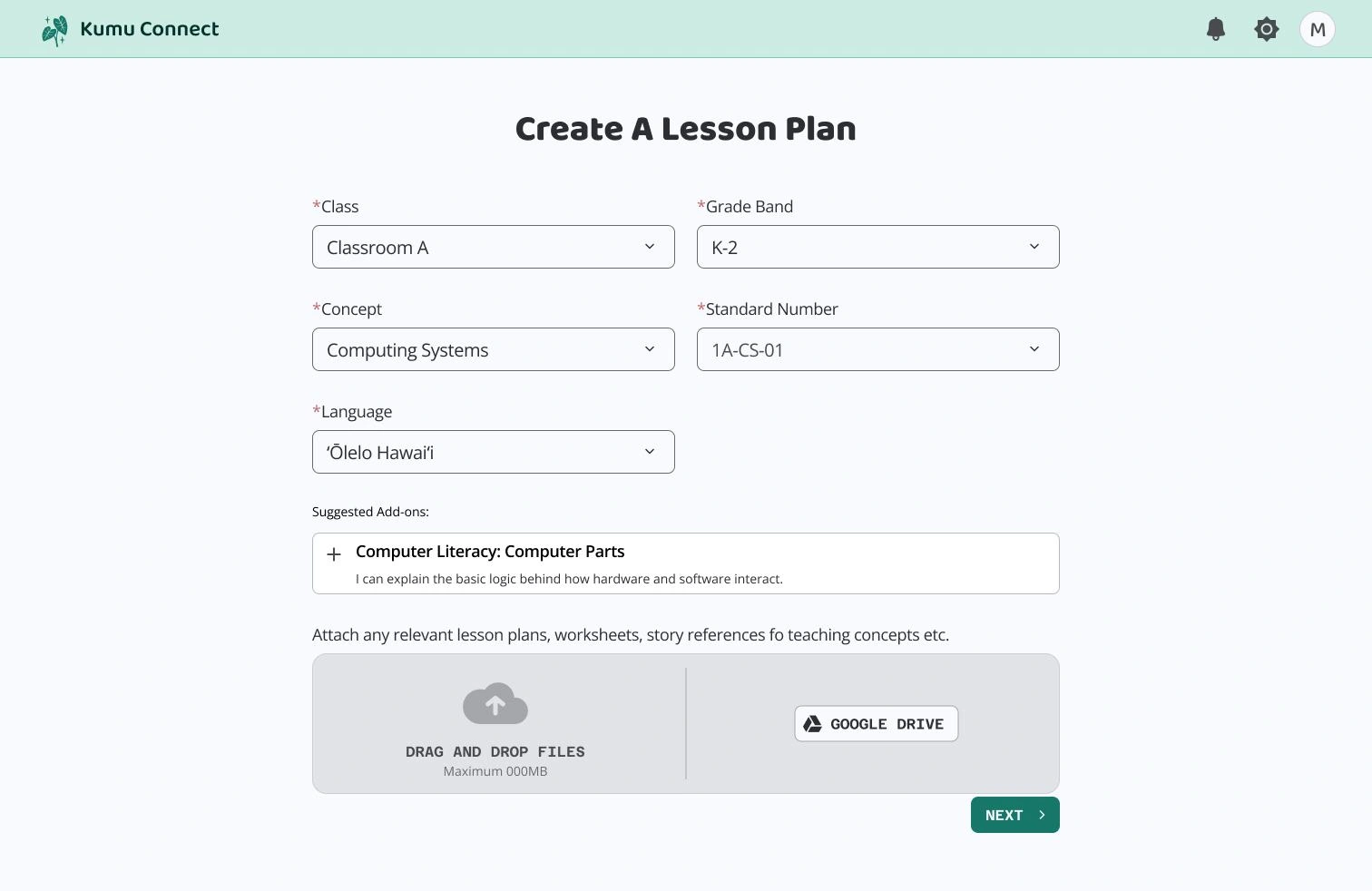
Set the class and language
Choose the grade band, computer science standard, and language of instruction. Add classroom materials if they belong in the lesson.
Baker-Ramos et al., IDC 2026, Fig. 7 · Cropped · CC BY 4.0 -
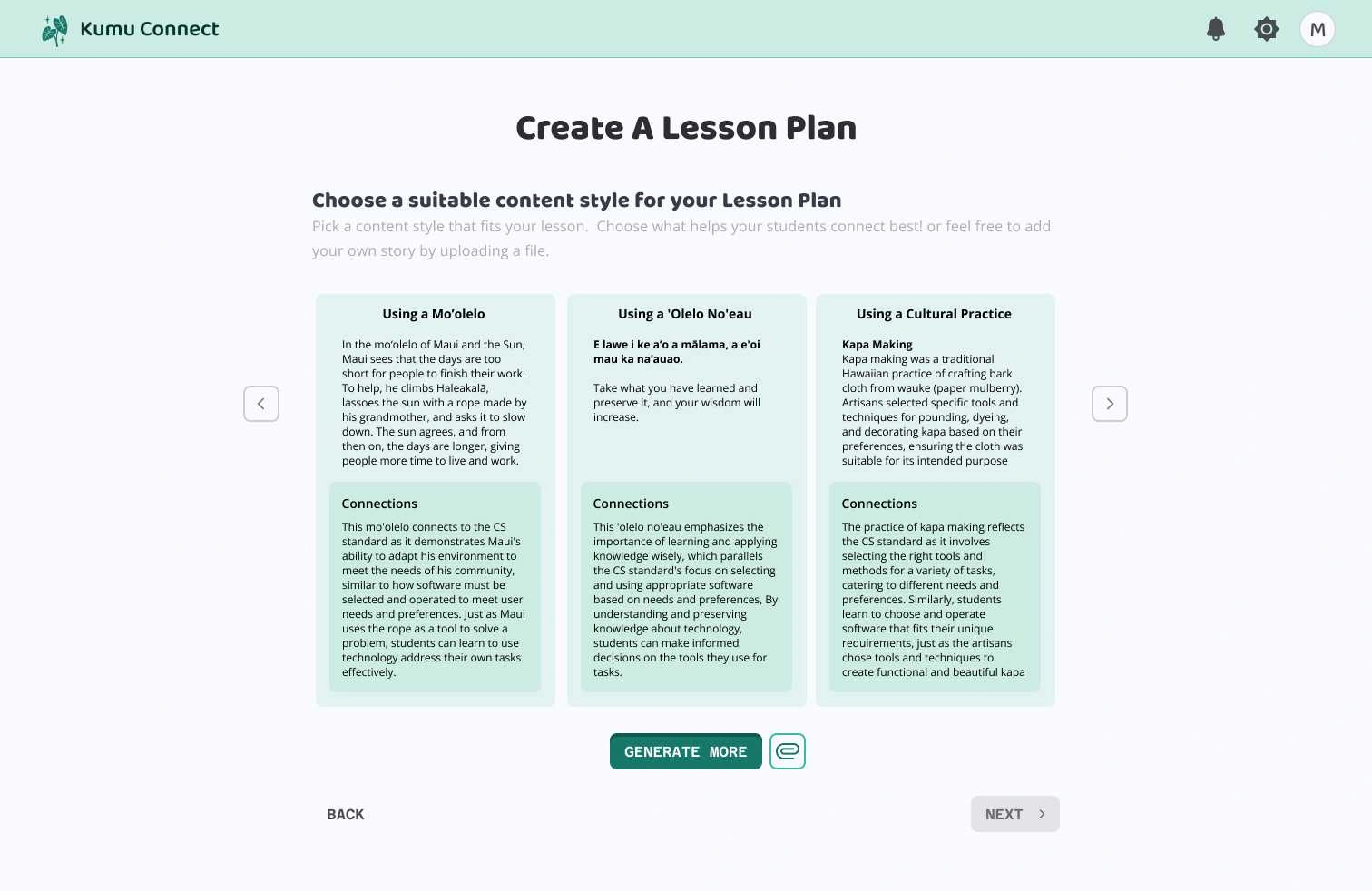
Choose a cultural reference
Read how each suggested reference connects to the computing concept. Choose one for your class, request more options, or supply your own.
Baker-Ramos et al., IDC 2026, Fig. 8 · Cropped · CC BY 4.0 -
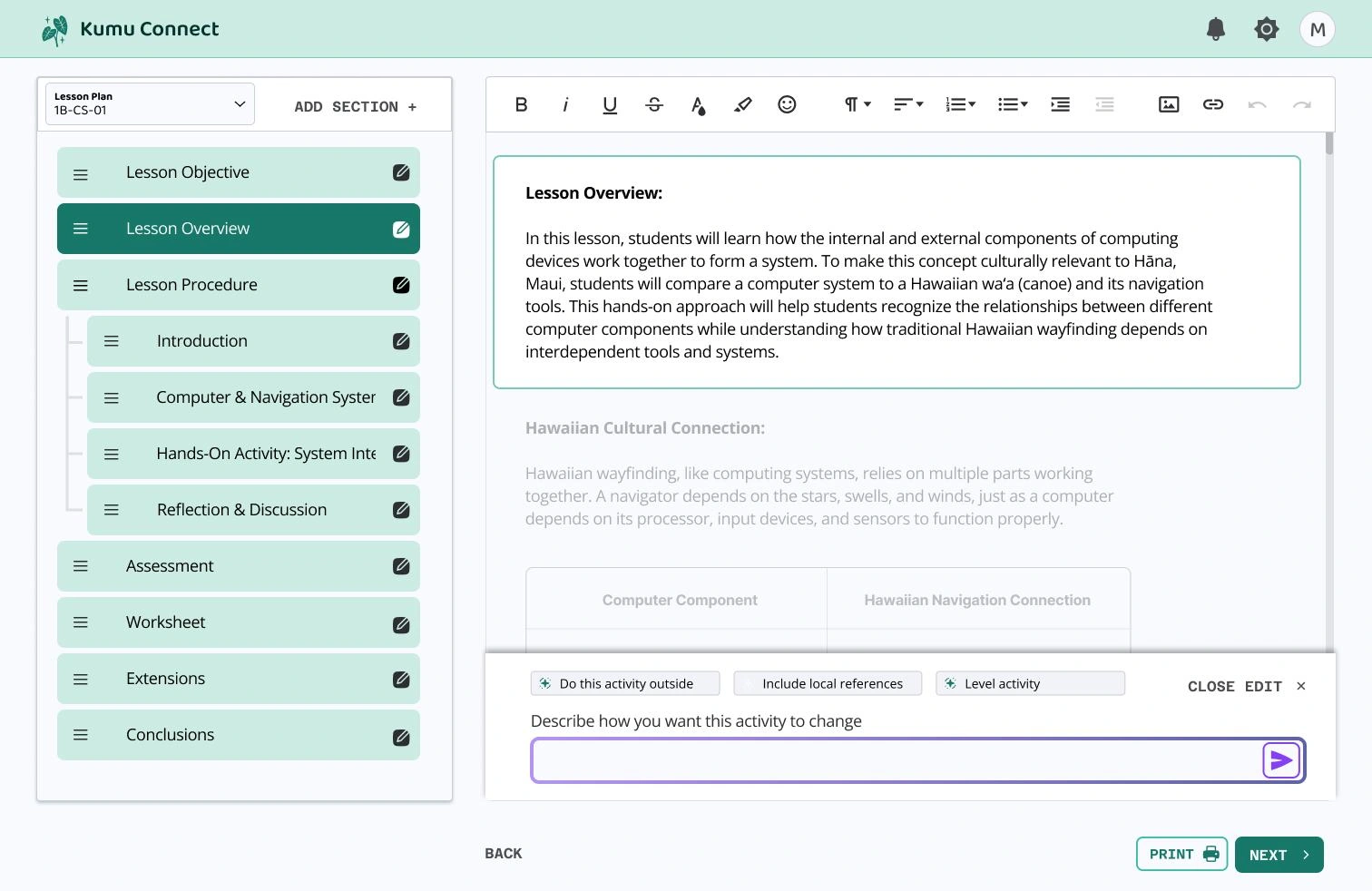
Edit the lesson
Review the activities and discussion prompts section by section. Revise the draft before saving or exporting it.
Baker-Ramos et al., IDC 2026, Fig. 9 · Cropped · CC BY 4.0
Evaluation results
36 educators across 3 Hawaiʻi schools evaluated Kumu Connect.
Related research
-
Kumu Connect: Design Thinking for Place-Based Generative Educational Technology in Hawaiian Immersion Schools
RESPECT 2025
One-year co-design case study with 13 educators. Usability testing of an early design prototype produced a System Usability Scale score of 87 ("Excellent"); the later working system is evaluated in the IDC 2026 paper.
-
Kumu Connect: Culturally-Authentic AI Tools to Enable Educator Agency and Data Sovereignty for Hawaiian K-12 CS Education
IDC 2026
The flagship technical paper: full system description and an evaluation with 36 educators across 3 schools, reporting a System Usability Scale score of 78 ("Good").